Now it is time for your life to change. Not sure which service to choose? Check out my guide to choosing the best streaming service. No more watching reruns over and over and out of line with the show’s timeline. Well, that is what it did for me, and I can help you do it for yourself!
Imagine swapping out your old, clunky cable box for a sleek device that fits in the palm of your hand. That’s what streaming devices are all about. They’re the first step in navigating the world of streaming, and they open doors to endless entertainment possibilities. These handy gadgets connect to your TV, transforming it from a regular ol’ screen into a smart hub full of apps and services.
In watching my favorite shows, it was by the demands of the scheduling of the network. If I missed a show, oh well that’s life. Guess what, life has changed and for the better!
I now binge watch my favorite shows from the first episode, watching every episode in order all the way through the last show. There I am done with that show, on to the next!
Some popular players in the streaming device arena include Apple TV 4K, the Fire TV Stick, the Roku Streaming Stick 4K, and Google’s Chromecast. For me it was Roku. Read my complete Roku Setup Guide + Netflix Tips if you want more help getting started. Each has its own flair, but they all share a common goal: turning your TV into something that feels more like a giant smartphone. Just plug any of these bad boys into the HDMI port of your TV, hook them up to your Wi-Fi, and voila! You’re ready to stream.
If you want to compare the major streaming devices side by side, my Best Streaming Devices 2026: Top Picks for Every Budget guide breaks down the strongest options by features, value, and the type of viewer each one fits.
The big question: Why make the switch? Well, unlike traditional cable boxes, streaming devices hand you a remote control that’s not just for channel surfing. You get a neat on-screen menu that lets you download apps like Netflix, Hulu, or YouTube. Plus, they’re super easy to set up—no waiting for a cable guy to show up.
Think of a streaming device as your personal gateway to a wider world of content, putting the power in your hands to choose exactly what you want to watch. So if you’re tired of the cable clunk, these devices might just be the upgrade you didn’t know you needed.
The Operating System: Streaming Platforms Explained
The magic behind your streaming device is the platform it runs on. Think of it as the digital brains of your setup. It’s the first thing you see once you turn on your streaming device, and it’s what keeps everything organized. This platform is your hub for navigating through all your favorite apps and services, acting like the command center of streaming activities.
Major players in the streaming platform game include Roku, Fire TV, Google TV, and Apple tvOS. Each of these platforms boasts unique features but shares the common purpose of making your streaming experience seamless and user-friendly. Their job is to efficiently organize all the different apps you want to use and offer recommendations, so you won’t ever get caught in the endless scroll without finding something good to watch.
Streaming platforms cleverly integrate all your streaming apps into one space and even offer cross-service search functions. This way, whether you’re searching for a specific movie or trying to decide what to binge next, everything’s at your fingertips.
These platforms essentially upgrade any regular TV into something smarter, giving you a more intuitive way to control what you watch and when you want to watch it. Not when the TV Guide says it’s on. With platform-specific features like custom profiles, parental controls, and more, they enhance not just what you watch, but how you watch it. So, plugging your device into the TV is just the start—the real magic happens on the screen, making streaming more than just watching but experiencing.
What Are Streaming Apps and Services?
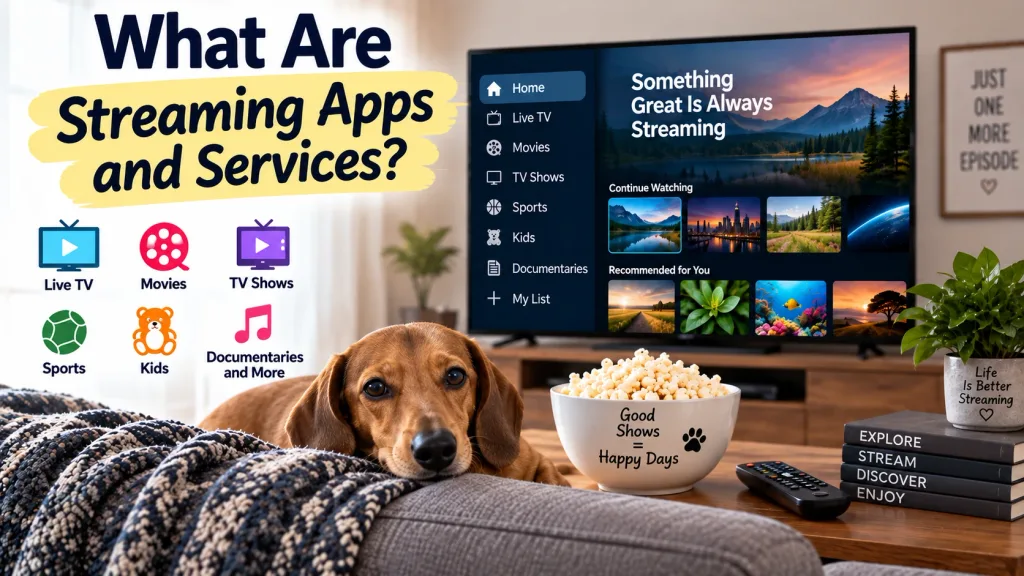
Alright, you’ve got your device and platform set up. Now comes the fun part—loading it with content through apps and streaming services. This is where the real magic happens, turning your TV into a portal for thousands of shows, movies, and videos. But don’t get it twisted: apps aren’t the same as platforms, and services aren’t your devices—they’re all different pieces of the puzzle.
A streaming service is essentially the content provider, while the apps are how these services deliver that content to you. You’ve got your big-name services like Netflix, Disney+, and Prime Video, offering subscription-based on-demand content. Then there’re ad-supported ones like Pluto TV and Tubi, which give you free stuff, albeit with a few commercial breaks. When I feel the need to watch a rerun services like Pluto TV are my go to.
Think of streaming services as the cable channels of the modern world, but with way more control in your hands. You get to decide when and where to watch something, dropping the need for strict schedules. Apps are what make this awesome control possible: they’re those little squares you click on your TV screen to launch the likes of Hulu or HBO Max.
Adding these apps to your device is usually as simple as downloading a new game to your phone. Most platforms will have an app store where you can grab all the ones you want. So load up your lineup wisely, mixing subscriptions and freebies for a buffet of entertainment right at your fingertips.
What Is Video On Demand (VOD)?
Let’s talk about Video On Demand (VOD), the concept that put schedules on the back burner and handed you control. It’s the cornerstone of today’s streaming culture, perfect for those who love to watch on their own terms—whether that’s revisiting a classic or binge-watching the latest series in one glorious sitting.
The beauty of VOD is the freedom it offers. Imagine pausing a movie for a snack break or rewinding a part you missed. The control features like pause, rewind, and fast-forward are standard, and they’re designed to make your experience as flexible as you need it to be. Platforms like Netflix and Disney+ provide SVOD models, where you’re billed monthly for an all-you-can-watch buffet. Meanwhile, services like Tubi represent the AVOD model, where content is free but occasionally interrupted by ads to keep the lights on.
In addition, there’s the TVOD model, where you pay per piece of content—like those rentals on Amazon Prime Video. It’s the go-to for those new releases you don’t want to miss, but aren’t ready to commit to long-term.
Today, VOD is synonymous with ultimate convenience. Whether it’s a rainy Saturday or a quick escape after work, VOD is how most of us are enjoying entertainment today. Being able to watch what you love whenever you want is like having a personal blockbuster right in your living room. Aw, what a wonderful world!
What Is Live TV Streaming?
Live TV streaming is where nostalgia meets modern convenience. It’s like having your cake and eating it too; you get the familiar channels and schedules of traditional cable but with the flexibility and perks that come with streaming.
Services like YouTube TV, Sling TV, and FuboTV let you stream live broadcasts over the internet, so you’re not missing out on your must-watch news, sports, or live events. You’ll find similar channel guides and a lineup packed with stations like ESPN or CNN, making it feel like a comfortable extension of the cable world—but with freedom.
What sets live TV streaming apart is the lack of contracts and the ability to access it almost anywhere you have an internet connection. Whether you’re in a coffee shop or on a lunch break, your favorite live content is just a tap away. With cloud DVR, you can even record shows to catch up on later—no more hard decisions between watching the game live or spending time with the family.
This service is perfect for anyone who still craves the live TV vibe without the constraints of cables and contracts. Its flexibility meets tradition, allowing you to cut the cord without cutting the live connection.
Recommended Streaming Services For Beginners
| Goal | Service |
|---|---|
| Best Overall | Amazon Prime Video |
| Best for Families | Disney+ |
| Best Free Service | Pluto TV |
| Best Live TV | Fubo |
| Best Budget Option | Tubi |
Ready To Start Streaming?
Whether you’re looking for a simple streaming device, a large on-demand library, or a complete cable replacement, there’s never been a better time to cut the cord.
If you’re new to streaming, I recommend starting with a Roku Streaming Stick and adding a service like Prime Video or Fubo based on your viewing habits.
👉 Explore today’s streaming options and find the setup that fits your budget and entertainment needs.
Thanks for visiting,
Mark
This post really caught my attention because I’m a huge fan of both local telenovelas and Hollywood TV series. The problem is, I often miss episodes when they air, but I still manage to keep up with the storylines by asking friends or catching reruns. Lately, I’ve been exploring streaming devices, and reading this makes me realize how much easier it would be to stay on track without worrying about schedules.
I love the idea of being able to binge-watch from the very first episode and not miss a beat. It feels like streaming devices are the perfect solution for someone like me who wants flexibility but also doesn’t want to lose the excitement of following multiple shows.
I wonder, between Roku, Fire TV Stick, and Chromecast, which one do you think offers the best mix of affordability and user-friendly features for someone who just wants to enjoy dramas and series without too much tech hassle?
Alice,
First of all, thanks for visiting my website. And to jump right in my favorite is Roku! I have three TVs in the house and all three have Rokus. My son has Fire TV, and it is good, like anything you have to just jump in and start playing around with the menus, The one thing that kind of puzzled me when I got my very first Roku, was there was no instructions on how to install it or how to use it. Installing it is quite simple, you plug one end of the included HDMI cord into the Roku block or if you have the stick, either way, plug it into an HDMI port on your TV. Then just insert the power cord into the space on the block and plug it into the wall. Wow, sorry about that, my description makes it like I took something simple and made it complex.
Then you will have on screen instructions on how to set it up and after that just play and explore. After an hour or so you will have mastered it!
As far as binge watching if you have read any of my other posts, I always preach with your streaming device you set the terms of what you want to watch when you want to watch it. If it is Gilligan’s Island, you start at episode 1 and watch all the episodes in order to the end! Streaming really frees you up, you go on your own set of rules!
Thanks again,
Mark