
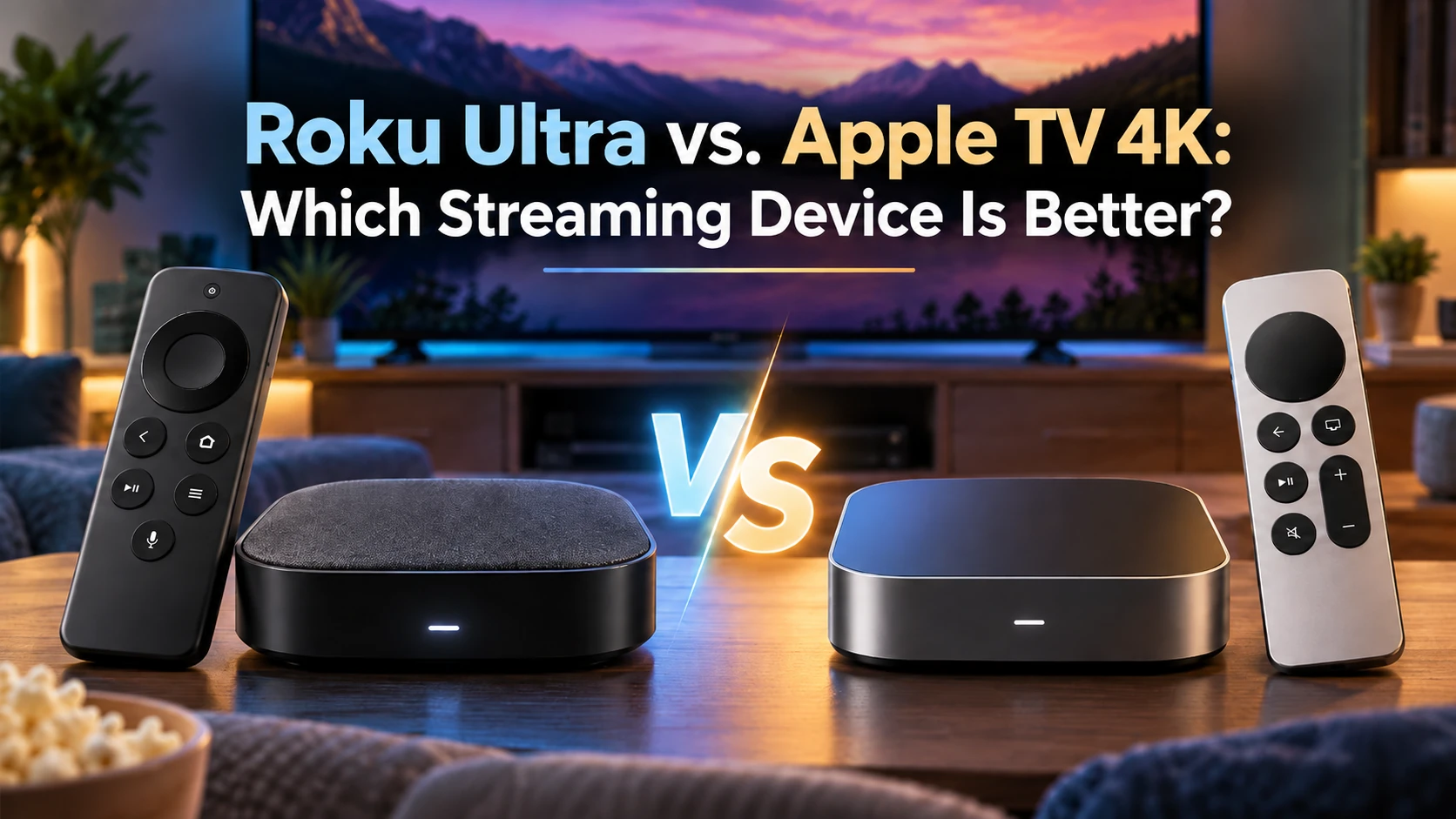
When comparing premium streaming devices, Roku Ultra vs. Apple TV 4K is a matchup worth exploring. Both offer excellent picture quality, fast performance, and popular streaming apps. But with Apple’s newest model joining the lineup, which one gives you the best value? New to streaming? My streaming device guide can help you get started.
I’ve been a Roku user for years, starting with a Roku Premiere and eventually owning several Roku Ultras. What keeps me coming back is simplicity. I want to turn on my TV, find something to watch, and enjoy it without unnecessary complications.
Apple TV 4K offers a different experience, with powerful processors and deeper integration with Apple’s ecosystem. We’ll compare Roku Ultra with Apple’s third-generation 64GB and 128GB models, along with the newly announced fourth-generation Apple TV 4K.
Important: The fourth-generation Apple TV 4K is available for preorder, but it won’t be released until November 13, 2026. Our discussion of its features is based on Apple’s announced specifications rather than hands-on testing.
Let’s see how these devices compare in performance, ease of use, features, and overall value—and which one deserves a place in your home.

Roku Ultra vs. Apple TV 4K: Quick Comparison
Before getting into the details, here’s how the Roku Ultra compares with Apple’s two third-generation models and the newly announced fourth-generation Apple TV 4K.
| Feature | Roku Ultra | Apple 3rd Gen 64GB | Apple 3rd Gen 128GB | Apple 4th Gen 128GB |
|---|---|---|---|---|
| Processor | Quad-core | A15 Bionic | A15 Bionic | A19 |
| Resolution | 4K UHD | 4K UHD | 4K UHD | 4K UHD |
| Wi-Fi | Wi-Fi 6 | Wi-Fi 6 | Wi-Fi 6 | Wi-Fi 7 |
| Ethernet | 100 Mbps | None | Gigabit | Gigabit |
| Remote | Voice Remote Pro | Siri Remote | Siri Remote | New Siri Remote |
| Private Listening | Bluetooth / Roku app | Bluetooth | Bluetooth | Bluetooth |
| Gaming | Limited | Apple Arcade | Apple Arcade | Apple Arcade |
| Smart Home | AirPlay, HomeKit, Alexa, Google | Apple Home | Apple Home, Thread | Apple Home, Thread |
| Listed Price | $149.99 MSRP | $199 | $249 | $299 |
| Availability | Available | Older model | Older model | Preorder; Nov. 13 release |
Important: The fourth-generation Apple TV 4K is available for preorder but won’t be released until November 13, 2026. Availability of the third-generation models may vary as older inventory sells out.
The bottom line: Roku Ultra emphasizes simplicity and affordability. Apple’s third-generation models offer stronger processing power and ecosystem integration, while the fourth generation adds faster hardware, improved wireless connectivity, and new Siri features.
Design, Setup, and Ease of Use
One of the biggest reasons I’ve stayed with Roku over the years is its simplicity. Setting up my Roku devices has always been straightforward: connect the player, get online, sign into your account, and start streaming. My Roku Setup Guide offers additional help for beginners.
The Roku Ultra continues that approach with a familiar home screen organized around app tiles. Finding Netflix, Hulu, YouTube TV, or your favorite streaming service takes little effort. Roku includes recommendations and home-screen advertisements, but its basic navigation remains simple.
If you’re also considering Amazon’s devices, my Roku vs. Fire TV comparison explores how their interfaces and everyday usability differ.
Apple TV 4K Takes a Different Approach
Both third-generation Apple TV 4K models feature Apple’s polished tvOS interface, with smooth navigation and an Apple TV app that organizes shows and recommendations from participating services. Setup is also straightforward, particularly when using an iPhone or iPad.
The fourth-generation model builds on that familiar experience with new Siri AI features designed to make searching for entertainment easier. However, those improvements won’t be available to evaluate in everyday use until the device launches.
My take: Roku Ultra gets my vote for ease of use. I appreciate being able to turn on my television and start watching without unnecessary complications. Apple TV 4K offers a more integrated experience, but Roku’s straightforward approach is hard to beat for everyday viewing.
Remote Controls and Voice Features
A streaming device can have impressive features, but if the remote is frustrating, you’ll notice it every day.
Roku Ultra’s Voice Remote Pro
The Roku Ultra includes the rechargeable Voice Remote Pro (2nd edition), featuring backlit buttons, hands-free voice commands, a lost-remote finder, and customizable shortcuts.
I’ve always appreciated Roku’s straightforward controls. Finding a favorite show shouldn’t require learning a complicated remote!
Apple TV 4K’s Siri Remote
Both third-generation Apple TV 4K models include the Siri Remote, featuring a touch-enabled clickpad, USB-C charging, and voice commands. You can also locate a misplaced remote using a compatible iPhone.
The fourth-generation model introduces an updated Siri Remote with enhanced Find My capabilities, including Precision Finding and the ability to play a sound.
The new Apple TV 4K also includes built-in microphones for hands-free Siri commands. Its conversational Siri AI features offer more advanced ways to search for movies and shows, although some Siri AI capabilities will also be available on older Apple TV 4K models.
My take: Roku still gets my vote for familiar, easy-to-use controls. Apple’s new remote-finding features and hands-free Siri are appealing improvements, but I’ll reserve judgment on their everyday usefulness until the fourth-generation model is released.
Performance, Speed, and Navigation
Both Roku Ultra and Apple TV 4K are designed for smooth, responsive streaming, although their processing power differs.
Roku Ultra focuses on everyday television viewing. Its quad-core processor handles streaming apps, menu navigation, and 4K playback without the additional processing power found in Apple’s devices.
For another premium streaming matchup, see my Fire TV Cube vs. Roku Ultra comparison.
Apple’s Processing Advantage
Both third-generation Apple TV 4K models use Apple’s A15 Bionic chip, offering powerful performance for streaming, gaming, and demanding applications.
The fourth-generation model takes things further with the A19 chip. According to Apple, it delivers up to 50% faster CPU performance and twice the graphics performance of the previous generation. A dedicated AV1 decoder also enables more efficient video streaming.
However, faster hardware doesn’t necessarily mean a dramatically better experience when watching Netflix, Hulu, or live television. Roku Ultra and the third-generation Apple TV 4K models already provide the performance most viewers need.
My take: Apple’s fourth-generation model has the clear advantage in processing power, particularly for gaming and demanding applications. But if your main goal is watching movies, television, and sports, Roku Ultra still offers more than enough performance for everyday streaming.
4K Picture Quality, HDR, and Dolby Atmos
Roku Ultra and both third-generation Apple TV 4K models deliver excellent picture and sound quality, supporting 4K Ultra HD, Dolby Vision, HDR10+, and Dolby Atmos.
The fourth-generation Apple TV 4K continues Apple’s emphasis on premium home-theater entertainment, adding more efficient video decoding through its A19 processor.
These technologies help deliver sharper images, improved contrast, and immersive sound when paired with compatible televisions, audio equipment, and streaming content.
What About Surround Sound?
All four options support surround-sound entertainment, including Dolby Atmos on compatible content and equipment.
The fourth-generation Apple TV 4K introduces something extra: support for a four-speaker surround-sound setup using compatible HomePod speakers. Apple says the system automatically calibrates speaker positioning and audio timing.
You don’t need that setup to enjoy great sound, though. A traditional 5.1 surround-sound system remains an excellent option for watching movies and television.
Remember, your television, internet connection, streaming service, and audio equipment all influence the viewing experience.
My take: For ordinary 4K streaming and home-theater use, Roku Ultra and Apple TV 4K are excellent choices. Apple’s new HomePod surround-sound feature is interesting, but I wouldn’t pay more for it unless I planned to use that specific setup. For my everyday viewing needs, this category remains a tie.
Streaming Apps, Channels, and Free Content
Roku Ultra and all three Apple TV 4K configurations offer access to major streaming services, including Netflix, Hulu, Disney+, Prime Video, Peacock, Paramount+, and YouTube TV. For most viewers, app availability won’t be the deciding factor.
Roku’s Free Streaming Advantage
Roku makes free entertainment particularly easy to discover through The Roku Channel, offering free, ad-supported movies, TV shows, and live channels. Additional free apps can help cord-cutters reduce their monthly entertainment expenses. My guide to free streaming services explains how to get started.
Apple’s Unified Viewing Experience
Apple TV 4K uses the Apple TV app to organize shows, recommendations, and watchlists from participating services. It’s convenient, although not every streaming service supports Apple’s unified viewing features.
The fourth-generation model adds Siri AI, allowing more conversational searches and recommendations. However, Apple has also announced Siri AI support for compatible older Apple TV 4K models, so these improvements aren’t exclusive to the newest device.
Apple TV 4K also supports free streaming apps, so Roku isn’t the only option for watching television without subscriptions.
My take: Both platforms offer plenty to watch. I give Roku a slight edge for making free entertainment easy to find, while Apple offers a more integrated experience for viewers using supported subscriptions.
Private Listening and Accessibility

Private listening is a terrific feature when someone else is sleeping, reading, or simply doesn’t want to hear the television.
Roku Ultra supports Bluetooth headphones and private listening through the Roku mobile app. Unlike some older Roku remotes, the current Voice Remote Pro doesn’t include a headphone jack.
Both third-generation Apple TV 4K models support Bluetooth headphones, including AirPods with personalized Spatial Audio on compatible models. The fourth-generation Apple TV 4K also supports wireless private listening.
All four options offer accessibility features, including closed captions, screen-reading assistance, and settings designed to make streaming easier for viewers with different needs.
My take: Both platforms handle private listening well. Apple offers additional advantages for AirPods owners, but Roku provides excellent flexibility without requiring Apple-specific accessories. For most viewers, this category remains a tie.
Apple Ecosystem, AirPlay, and Smart Home Features
Apple TV 4K shines when paired with other Apple devices. AirPlay makes sharing content from an iPhone, iPad, or Mac easy, while Apple Home integration allows the device to serve as a smart-home hub.
Both third-generation models support Apple Home, but the 128GB version also includes Thread networking for compatible smart-home accessories.
The fourth-generation Apple TV 4K builds on those capabilities with hands-free Siri controls, smart-home notifications, and AI-generated descriptions of compatible security-camera activity. Some advanced features require additional Apple devices or subscriptions.
My Google TV Streamer 4K review explores another option for smart-home enthusiasts.
But Roku Isn’t Left Out
Roku Ultra also supports AirPlay and Apple HomeKit, along with compatible Alexa and Google voice-control features. That means you don’t need an Apple TV 4K simply because you own an iPhone.
However, Apple offers deeper integration for households using multiple Apple devices and smart-home accessories.
See my Google TV Streamer 4K vs. Apple TV 4K comparison.
My take: Apple TV 4K wins for smart-home integration, particularly with the new fourth-generation features. But for everyday streaming and occasional AirPlay use, Roku Ultra offers plenty of flexibility without requiring an Apple-centered smart home.
Gaming and Additional Entertainment
Apple TV 4K has a clear advantage in gaming. Both third-generation models use the A15 Bionic processor and support Apple Arcade, compatible gaming controllers, and additional games from the App Store.
The fourth-generation model adds the more powerful A19 chip, which Apple says delivers up to twice the graphics performance of the previous generation. That could make it more appealing to gamers, although real-world performance remains to be tested. Apple Arcade requires a subscription.
What About Gaming on Roku Ultra?
Roku Ultra focuses on streaming movies, television, and sports. It doesn’t offer a gaming library comparable to Apple Arcade.
Personally, gaming isn’t something I consider when choosing a streaming device. I’m more interested in watching my favorite programs without unnecessary complications.
My take: Apple TV 4K wins for gaming, particularly with the fourth-generation model’s upgraded hardware. But if you’re primarily interested in watching television, Roku Ultra’s limited gaming capabilities shouldn’t influence your decision.
Price and Overall Value

Price matters when choosing a streaming device, especially if you’re cutting the cord to save money.
Roku Ultra has a $149.99 MSRP, while Apple’s third-generation TV 4K models are listed at $199 for 64GB and $249 for 128GB. The new fourth-generation model costs $299 and is available for preorder, with release scheduled for November 13, 2026. Older models may become harder to find as inventory changes.
Ethernet Connectivity
All four options support Wi-Fi, but their wired connections differ. Roku Ultra includes 100 Mbps Ethernet, while Apple’s third-generation 128GB model offers Gigabit Ethernet. The 64GB model has no Ethernet port. Apple’s fourth-generation model also includes Gigabit Ethernet.
For ordinary 4K streaming, Roku’s wired connection is sufficient. Apple’s faster connection may appeal to viewers with more demanding networking needs.
Which Is the Better Value?
Apple’s third-generation models offer more processing power and deeper ecosystem integration, while the fourth generation adds newer hardware, Wi-Fi 7, and enhanced Siri capabilities.
If even the Roku Ultra costs more than you’d like to spend, my Roku Streaming Stick 4K review explores a more affordable alternative.
My take: Roku Ultra wins on value for everyday streaming. Unless you need Apple’s additional features, I’d put the savings toward streaming subscriptions instead. If you’re wondering whether you need a premium box at all, my Streaming Stick or Streaming Box? guide can help you decide before spending more.
Roku Ultra: Pros and Cons
Pros
- Simple, easy-to-navigate interface.
- Excellent 4K HDR and Dolby Atmos support.
- Rechargeable, backlit Voice Remote Pro.
- Bluetooth and mobile-app private listening.
- Built-in Ethernet connectivity.
- Easy access to free streaming content.
- Works with multiple smart-home ecosystems.
- Lower price than the Apple TV 4K models.
Cons
- Less processing power than Apple TV 4K.
- Limited gaming capabilities.
- Ethernet limited to 100 Mbps.
- Home-screen advertisements and promotions.
Apple TV 4K: Pros and Cons
Pros
- Powerful A15 processor in the third-generation models.
- New fourth-generation model features the faster A19 chip.
- Excellent 4K HDR and Dolby Atmos support.
- Smooth, polished tvOS interface.
- Seamless integration with Apple devices.
- Apple Arcade gaming and Bluetooth headphone support.
- Gigabit Ethernet and Thread on supported models.
- Wi-Fi 7 and enhanced Siri features on the fourth generation.
Cons
- More expensive than Roku Ultra.
- Third-generation 64GB model lacks Ethernet.
- Some advanced features require additional Apple devices.
- HDMI cable sold separately.
- Not every streaming service integrates with the Apple TV app.
- Fourth-generation model unavailable until November 13, 2026.
Roku Ultra vs. Apple TV 4K: Which Should You Buy?
Both devices deliver excellent streaming experiences, but the better choice depends on your priorities and budget. My streaming device buying guide can help you decide.
Choose Roku Ultra If…
You want a straightforward streaming device with excellent picture quality, easy navigation, and a lower price.
Roku Ultra is ideal if you:
- Primarily watch movies, television, and sports.
- Prefer simple menus and familiar controls.
- Enjoy free streaming channels.
- Don’t need advanced gaming or Apple-specific features.
Choose Apple TV 4K If…
You want more processing power, gaming capabilities, or deeper integration with Apple’s ecosystem.
Here’s how I’d approach the three configurations:
- 3rd Gen 64GB: Best for Apple users who don’t need Ethernet or additional storage.
- 3rd Gen 128GB: Better for viewers who want Gigabit Ethernet and Thread support.
- 4th Gen 128GB: Worth considering for its A19 processor, Wi-Fi 7, and enhanced Siri features. Preorders are available, with release scheduled for November 13, 2026.
My Overall Pick
Roku Ultra remains my recommendation for most cord-cutters. I’ve used Roku devices for years, and their simplicity is difficult to beat.
Apple TV 4K makes sense for households invested in Apple’s ecosystem, especially those interested in gaming or smart-home features. But for everyday television viewing, Roku Ultra offers excellent value without unnecessary complications.
Final Thoughts
When comparing Roku Ultra vs. Apple TV 4K, both offer excellent premium streaming experiences. Apple delivers more processing power, gaming capabilities, and deeper ecosystem integration, while Roku focuses on simplicity, dependable performance, and value.
The new fourth-generation Apple TV 4K adds some impressive features, but at $299, those extras won’t be necessary for everyone. And with its November 13, 2026, release still ahead, we’ll have to wait for real-world testing to see how much difference they make.
As a longtime Roku user, I still recommend Roku Ultra for most cord-cutters. If you’re invested in Apple’s ecosystem, however, any of its three configurations may be worth considering, depending on availability and your budget.
👉 Want a closer look? Read my Roku Ultra Review and Apple TV 4K Review for more details.
👉 Still weighing your options? Explore my Best Streaming Devices 2026: Top Picks for Every Budget to see how these players compare with other popular choices.
Remember, the best streaming device isn’t necessarily the most expensive one. It’s the one that makes watching your favorite shows enjoyable, convenient, and affordable.
Until next time, keep your remote close, your streaming bills low, and your favorite shows just one click away!
Thanks for visiting Cut the Cord TV!
Mark