

Google has moved beyond the familiar Chromecast dongle with the Google TV Streamer 4K, a more capable streaming box designed to compete with premium devices from Roku, Amazon, and Apple.
It offers 4 GB of RAM, 32 GB of storage, built-in Gigabit Ethernet, Dolby Vision, HDR10+, Dolby Atmos, Google Cast, and Google Home smart-home features. Google also says its processor is about 22% faster than the one used in the Chromecast with Google TV 4K.
The biggest question in 2026, however, is value. The Google TV Streamer originally launched at $99.99, but its official U.S. price has increased to $149.99. At that price, it deserves a closer comparison with other premium streaming devices.
I have no personal experience with the Google TV Streamer 4K, so this is not a hands-on review. Instead, I’ll examine its confirmed features, specifications, strengths, and weaknesses to help determine whether it is worth buying in 2026.
So, does the Google TV Streamer 4K offer enough to justify its higher price? Let’s take a closer look.
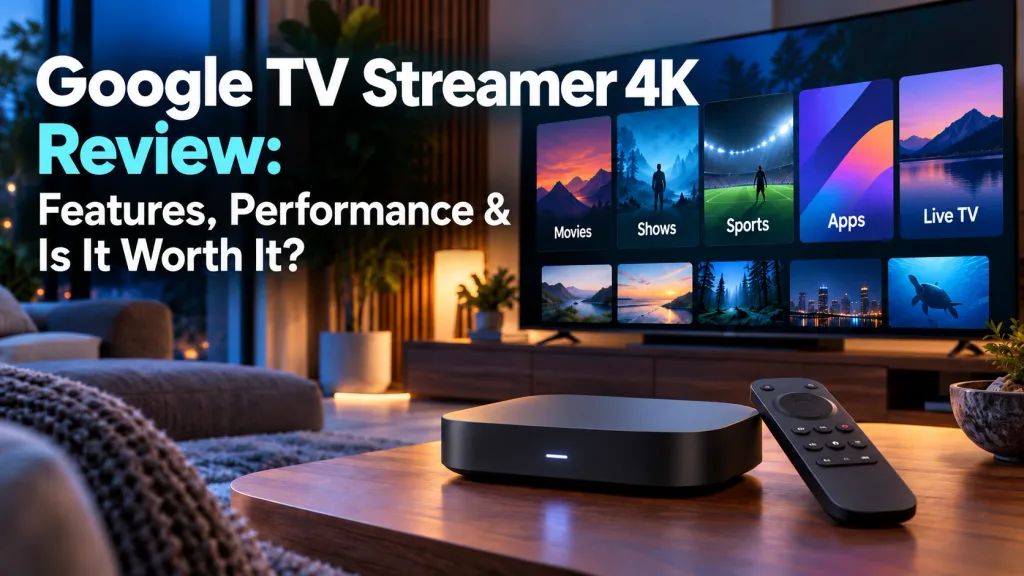
What Is the Google TV Streamer 4K?
The Google TV Streamer 4K is Google’s premium streaming media player and the successor to Chromecast with Google TV.
Unlike Chromecast, which was designed as a small dongle that plugged directly into the back of your television, the Google TV Streamer is a separate tabletop box that sits near your TV.
It runs the Google TV interface on Android TV OS and gives you access to streaming apps, movies, live TV, music, and other entertainment.
Google TV also brings recommendations from compatible services onto one home screen, helping you find something to watch without opening every app separately.
For someone used to Roku, this is a somewhat different approach. Roku tends to keep things simple with an app-focused home screen, while Google TV places more emphasis on recommendations and content discovery.
That difference may come down to personal preference, but it is one of the main things that separates the Google TV Streamer from Roku devices.
Google TV Streamer 4K Price in 2026
The Google TV Streamer 4K currently has an official U.S. price of $149.99, up from its original $99.99 launch price.
That $50 increase makes value a much bigger consideration in 2026. At $149.99, the Google TV Streamer is competing with other premium streaming devices rather than inexpensive streaming sticks.
Its combination of 32 GB of storage, Gigabit Ethernet, Google Home integration, Matter, and Thread support helps justify some of that premium, but buyers who only want basic 4K streaming can spend considerably less. The onn. 4K Pro is another lower-cost option worth comparing.
For a closer look at what you’re getting for the extra money, check out my onn. 4K Pro vs. Google TV Streamer 4K (2026): Which Is Better? comparison.
Retail sales may improve the value, so it is worth checking current prices before buying.
Google TV Streamer 4K Specifications
The Google TV Streamer 4K includes the hardware and format support expected from a premium streaming device.
| Feature | Google TV Streamer 4K |
|---|---|
| Maximum Resolution | 4K HDR at up to 60 fps |
| RAM | 4 GB |
| Storage | 32 GB |
| Wi-Fi | Wi-Fi 5 / 802.11ac |
| Bluetooth | Bluetooth 5.1 |
| Ethernet | Gigabit Ethernet |
| HDR | Dolby Vision, HDR10, HDR10+, HLG |
| Audio | Dolby Digital, Dolby Digital Plus, Dolby Atmos |
| HDMI | HDMI 2.1 |
| Smart Home | Matter hub and Thread border router |
| Operating System | Android TV OS |
Two specifications stand out most: 4 GB of RAM and 32 GB of storage. The additional memory helps the device handle navigation and app switching, while the larger storage capacity provides much more room for streaming apps than older Chromecast models.
Built-in Gigabit Ethernet is another useful advantage for viewers who prefer a wired connection instead of relying entirely on Wi-Fi.
Design and Setup
The Google TV Streamer 4K uses a small tabletop design rather than a stick or dongle hidden behind the television. It measures about 6.4 inches long, 3 inches wide, and 1 inch high, so it needs a little space on an entertainment center or shelf.
Setup is straightforward: connect the streamer to your TV, connect power, join your network, sign in to your Google account, and follow the on-screen instructions.
One important thing to know is that Google does not include an HDMI cable in the box. You will need to supply your own compatible HDMI cable.
The tabletop design may appeal to viewers who like having ports and cables easier to reach, while others may prefer the cleaner look of a streaming stick hidden behind the TV.
Google TV Interface and Apps
The Google TV interface combines your streaming apps with recommendations from compatible services.
Instead of only showing a grid of apps, Google TV also highlights movies and shows based on your subscriptions, viewing history, and preferences. That can make it easier to find something to watch without opening several apps one at a time.
New to streaming? My Streaming Basics for New Users guide can help.
Major services such as Netflix, YouTube, Disney+, Hulu, Prime Video, Max, Peacock, and many others are available through Google TV.
For someone used to Roku, the biggest difference is simplicity. Roku generally keeps the home screen more focused on apps, while Google TV puts more emphasis on recommendations and discovery.
Some viewers will appreciate having more suggestions on the screen. Others may prefer Roku’s cleaner, more straightforward layout.
Performance and Speed
Google says the Google TV Streamer 4K has a processor that is about 22% faster than the Chromecast with Google TV 4K. It also increases memory from 2 GB to 4 GB of RAM and storage from 8 GB to 32 GB.
Those upgrades are designed to improve menu navigation, app switching, and overall responsiveness, while the extra storage gives you much more room for streaming apps.
The important thing is not to oversell the hardware. The Google TV Streamer is designed primarily for streaming movies, TV shows, live TV, and other media rather than demanding gaming or heavy computing.
You can also compare more choices in Top TV Streaming Devices in 2026.
4K, HDR and Dolby Vision
The Google TV Streamer 4K supports video up to 4K HDR at 60 frames per second, along with Dolby Vision, HDR10, HDR10+, and HLG.
That broad format support is a strong point, especially for viewers with a compatible 4K television.
Keep in mind that picture quality also depends on your TV, internet connection, streaming service, and whether the movie or show is actually available in 4K or HDR.
So, while the Google TV Streamer supports premium picture formats, your complete setup determines what you ultimately see on screen.
Dolby Atmos and Audio
The Google TV Streamer 4K supports Dolby Digital, Dolby Digital Plus, and Dolby Atmos.
Dolby Atmos can provide a more immersive surround-sound experience, but you will need compatible audio equipment and content to take advantage of it.
For viewers with a compatible soundbar or home-theater system, the Google TV Streamer has the audio support expected from a premium streaming device.
Built-In Gigabit Ethernet
The Google TV Streamer 4K includes a built-in Gigabit Ethernet port, which is a useful advantage over many streaming sticks.
A wired connection can provide more consistent performance than Wi-Fi, especially if your router or network equipment is close to the TV.
Best of all, you do not need to buy a separate Ethernet adapter. For viewers who prefer a wired connection, that adds real value.
Google TV Streamer Voice Remote
The Google TV Streamer includes a redesigned Voice Remote with directional controls, power, volume, input, voice search, and a customizable button that can be assigned to supported apps or functions.
One of the most useful features is Find My Remote. If the remote gets lost in the couch, pressing a button on the back of the Google TV Streamer makes the remote play a sound.
It is a small feature, but one that could be surprisingly useful in everyday use.
Gemini for TV
The Google TV Streamer also supports Gemini for TV, bringing Google’s AI features into the television experience.
Gemini can handle more conversational searches and questions than traditional voice commands, helping users find shows, movies, and other information more naturally.
Because Gemini features can change over time and may vary by account or region, I would treat it as a useful extra rather than a reason by itself to buy the device.
Google Home, Matter and Thread
The Google TV Streamer also works as part of the Google Home ecosystem and supports Matter and Thread smart-home devices.
That means compatible lights, thermostats, cameras, sensors, and other devices can work through Google’s smart-home platform.
For someone already using Google Home, this adds meaningful value. For viewers who only want a streaming device, though, these features may not matter much.
Google TV Streamer vs. Chromecast with Google TV
The Google TV Streamer is a substantial upgrade over the older Chromecast with Google TV 4K.
| Feature | Google TV Streamer | Chromecast with Google TV 4K |
|---|---|---|
| RAM | 4 GB | 2 GB |
| Storage | 32 GB | 8 GB |
| Maximum Resolution | 4K | 4K |
| Built-In Ethernet | Yes | No |
| Thread Border Router | Yes | No |
| Matter Hub | Yes | No |
| Find My Remote | Yes | No |
| Customizable Remote Button | Yes | No |
Google also says the Streamer’s processor is about 22% faster.
The biggest improvements are the extra memory, much larger storage, built-in Ethernet, updated remote, and smart-home features. For Chromecast owners, those upgrades are meaningful—but the higher $149.99 price makes the decision less automatic.
Google TV Streamer 4K Pros and Cons
Pros
- 4 GB of RAM
- 32 GB of storage
- 4K HDR at up to 60 fps
- Dolby Vision, HDR10+, and Dolby Atmos
- Built-in Gigabit Ethernet
- Google Cast support
- Matter and Thread smart-home support
- Find My Remote
- Customizable remote button
- Gemini for TV
Cons
- $149.99 price is much higher than the original $99.99 launch price
- HDMI cable is not included
- Uses Wi-Fi 5 instead of Wi-Fi 6
- Smart-home features add less value if you do not use Google Home
- Tabletop design requires space near the TV
- Less expensive devices can handle basic 4K streaming
Who Is the Google TV Streamer 4K Best For?
The Google TV Streamer 4K is best suited for viewers who want more than a basic streaming stick.
It makes the most sense for people who:
- Already use Google TV or Google Home
- Want 32 GB of storage for apps
- Prefer built-in Ethernet
- Use Matter or Thread smart-home devices
- Want support for Dolby Vision, HDR10+, and Dolby Atmos
- Frequently cast content from phones or tablets
- Want access to newer Google features such as Gemini for TV
It may also appeal to Chromecast with Google TV owners who want more storage and upgraded hardware.
Budget-minded viewers who only need basic 4K streaming, however, can find much cheaper options.
My Best Streaming Devices for Every Budget guide covers more choices.
Is the Google TV Streamer 4K Worth It in 2026?
The Google TV Streamer 4K has a strong feature set, but the $149.99 price makes value the biggest question.
You get 4 GB of RAM, 32 GB of storage, Gigabit Ethernet, Dolby Vision, HDR10+, Dolby Atmos, Google Cast, Matter, Thread, and Google Home integration.
That combination makes the most sense for someone already invested in Google’s ecosystem or anyone who specifically wants its smart-home features.
For basic 4K streaming, though, there are less expensive choices that may do everything you need.
The Apple TV 4K is another premium alternative worth comparing.
Want to know how they compare? My Google TV Streamer 4K vs. Apple TV 4K (2026): Which Is Better? comparison examines their features, performance, and overall value.
At its original $99.99 price, the Google TV Streamer was easier to recommend. At $149.99, it is worth comparing carefully with other premium streaming devices, including the Amazon Fire TV Stick 4K Max, before buying.
Final Thoughts
The Google TV Streamer 4K offers a strong mix of streaming and smart-home features. With 4 GB of RAM, 32 GB of storage, Gigabit Ethernet, Dolby Vision, Dolby Atmos, Google Cast, Matter, Thread, and Gemini for TV, it is a major step up from the older Chromecast with Google TV.
The biggest drawback is the $149.99 price. At that level, it competes directly with other premium streaming devices, so it makes sense to compare features before buying.
For viewers already invested in Google TV and Google Home, the Google TV Streamer 4K has a lot to offer. If you only need an affordable way to stream in 4K, though, a less expensive device may be the better fit.
👉 Compare the Google TV Streamer 4K with other streaming devices before you buy.
👉 Think about whether features like Ethernet, Matter, Thread, and Google Home integration are important to you.
👉 Check current pricing, because sales could make the Google TV Streamer much more attractive.
As always, the goal is simple: find the device that makes streaming easier and gives you the content you want without paying for features you will never use.
I will watch what I want to watch, when I want to watch it.
Thanks for visiting,
Mark